Lighting Control Reimagined

LightBuddy

Professional lighting control software for live events, installations and productions. Available for macOS and Windows.

Free
1 universe
Standard
2 universes
Professional
Unlimited
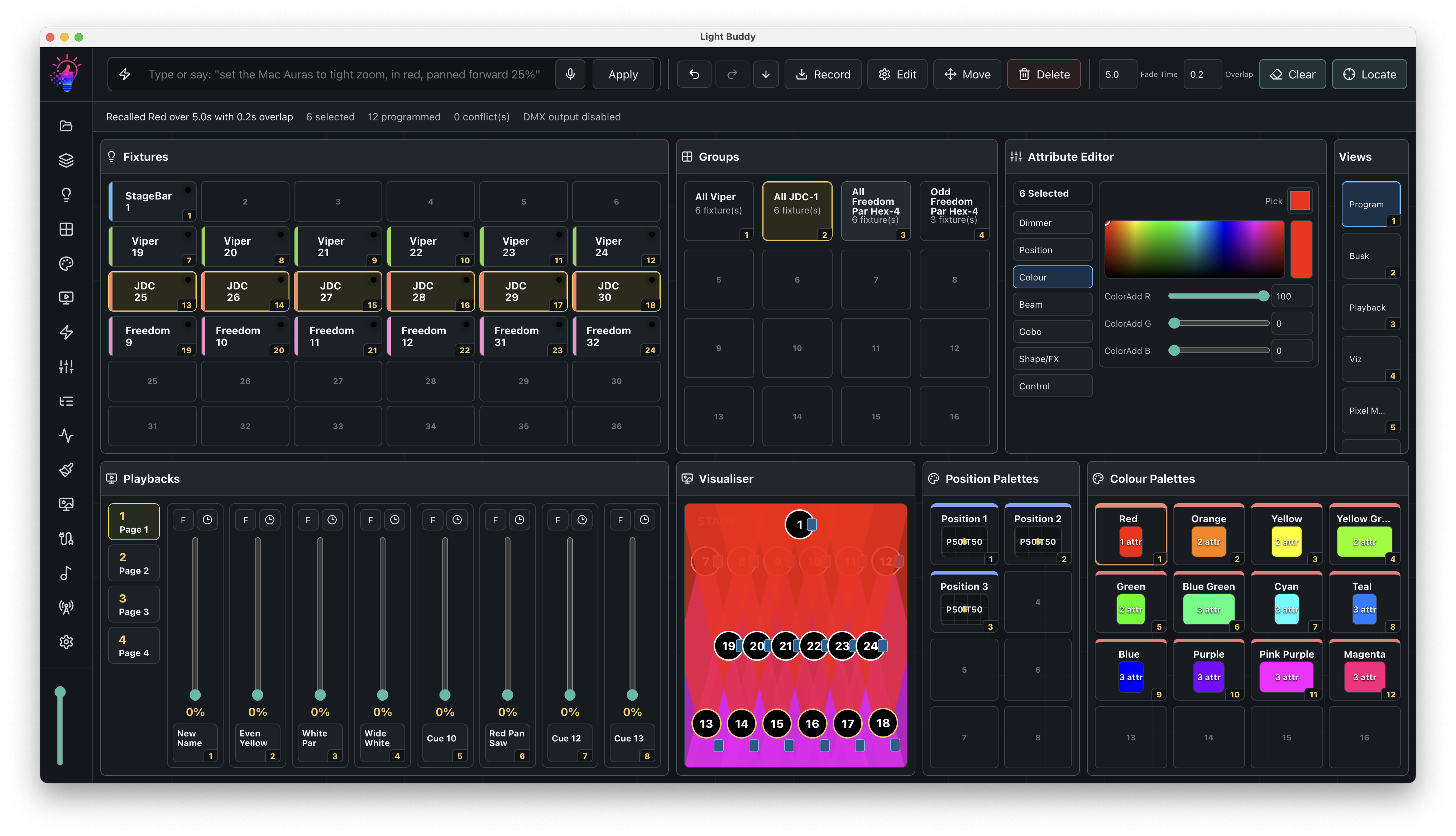
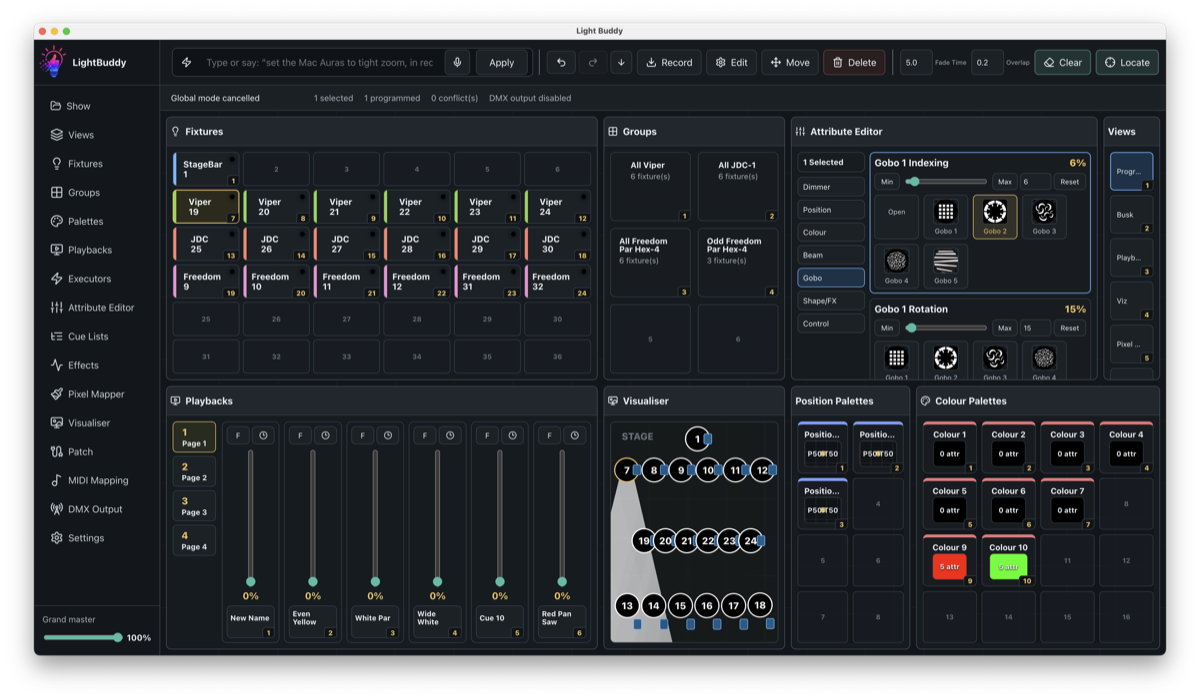
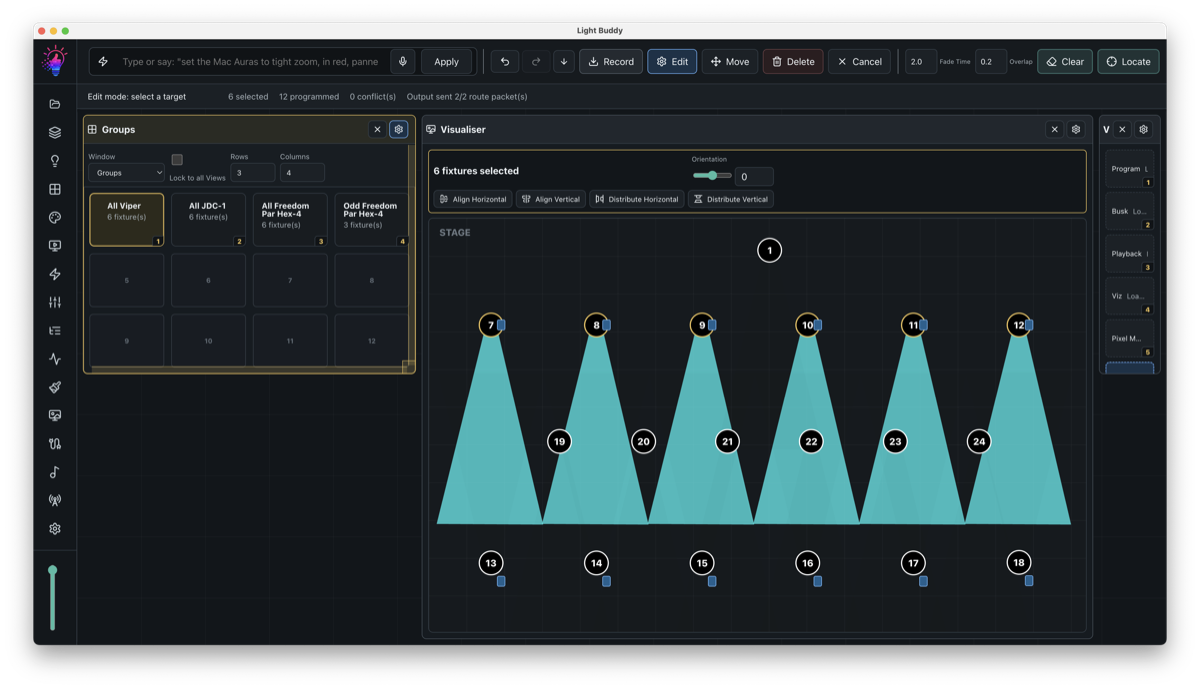
LightBuddy desktop interface with fixture controls and live playback tools

Software Features

Easy to use, but packed with functunality

Live control

Programming

Program looks from one focused workspace, with fixture selection, groups, attributes and live output feedback kept close together.

  • Edit dimmer, position, colour, beam and strobe values from the same area.
  • Use palettes and groups to make repeated programming faster and more consistent.
  • Keep programmer values visible so it is clear what is currently live or pending.
  • Clear or update attributes deliberately to avoid accidental output changes.
  • Move from rough looks to cue-ready states with fewer context switches.

Playback

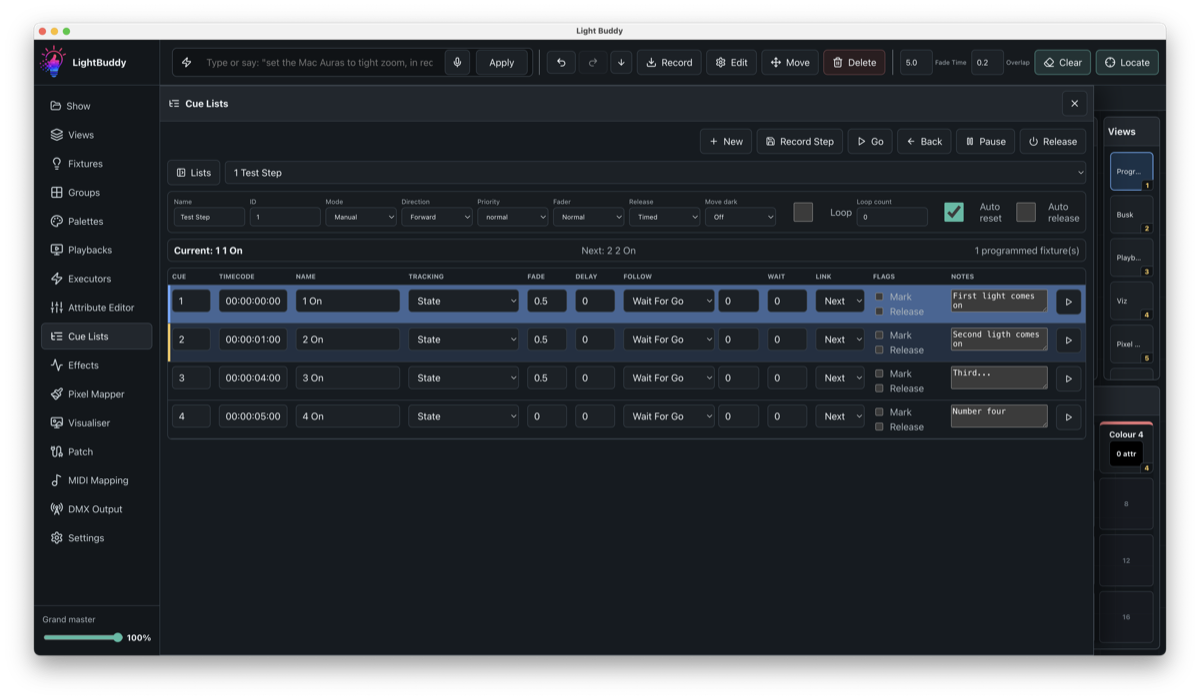
Cue Lists

Turn programmed looks into repeatable sequences with timing, playback and organisation built around live operation.

  • Store show moments as ordered cues that can be replayed consistently.
  • Set fade and timing values for smoother transitions between looks.
  • Organise cue lists for songs, scenes, acts or repeatable show sections.
  • Use playback controls to step through structured sequences during a show.
  • Reduce manual recreation of looks between rehearsals and performances.

Movement and animation

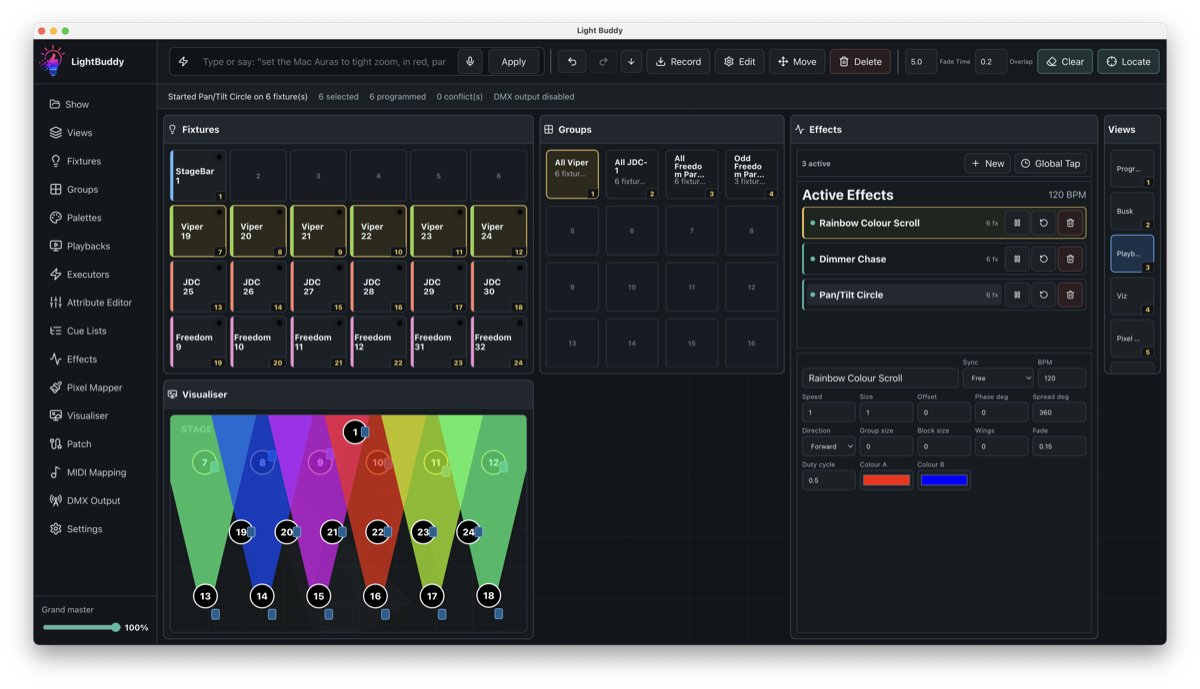
Effects Engine

Create dynamic movement, colour and intensity looks from structured effect controls instead of programming every step by hand.

  • Build repeated movement, dimmer, colour and beam changes from reusable effects.
  • Shape effects with rate, size, phase and attribute controls.
  • Reuse effect setups across cues and playback states for consistency.
  • Experiment with motion and intensity changes while keeping control values visible.
  • Reduce repetitive manual programming for chases, sweeps and animated looks.

LED and matrix output

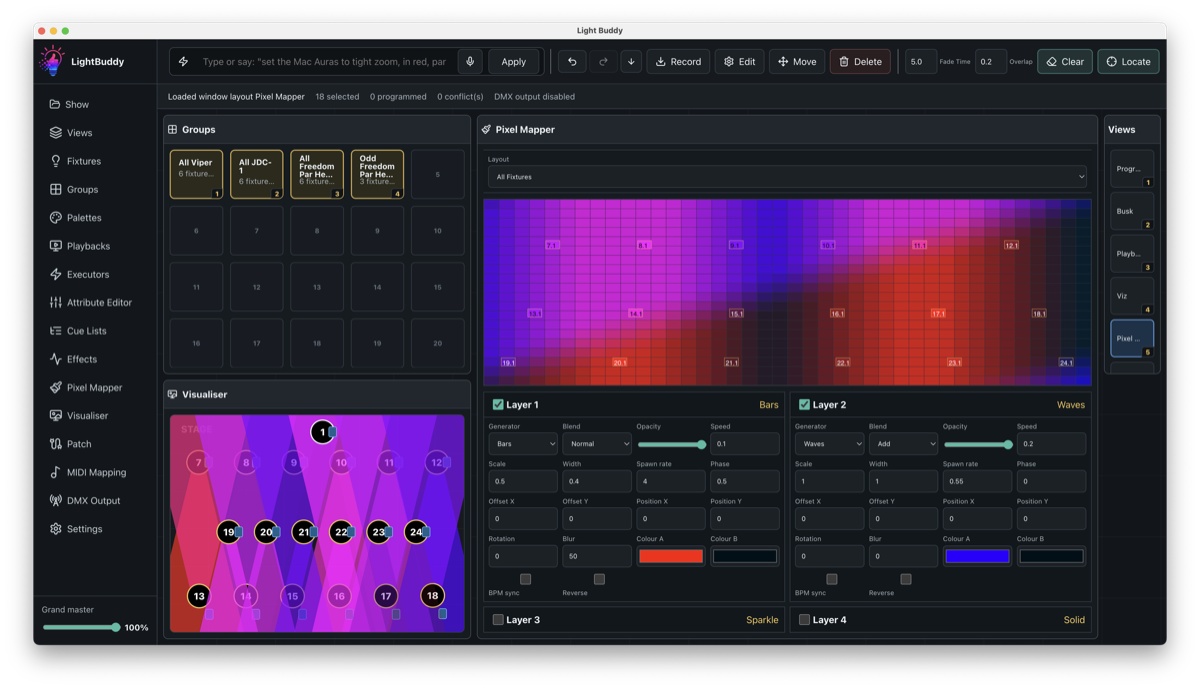
Pixel Mapper

Design mapped LED and matrix looks with visual layers, layout previews and output-aware controls in the same show environment.

  • Lay out pixel fixtures so visual content maps to the rig structure.
  • Layer generators and looks to build richer LED or matrix effects.
  • Preview mapped output before sending it to fixtures.
  • Blend pixel looks into programming, playback and cue workflows.
  • Create large visual changes without editing every pixel fixture individually.

Network output

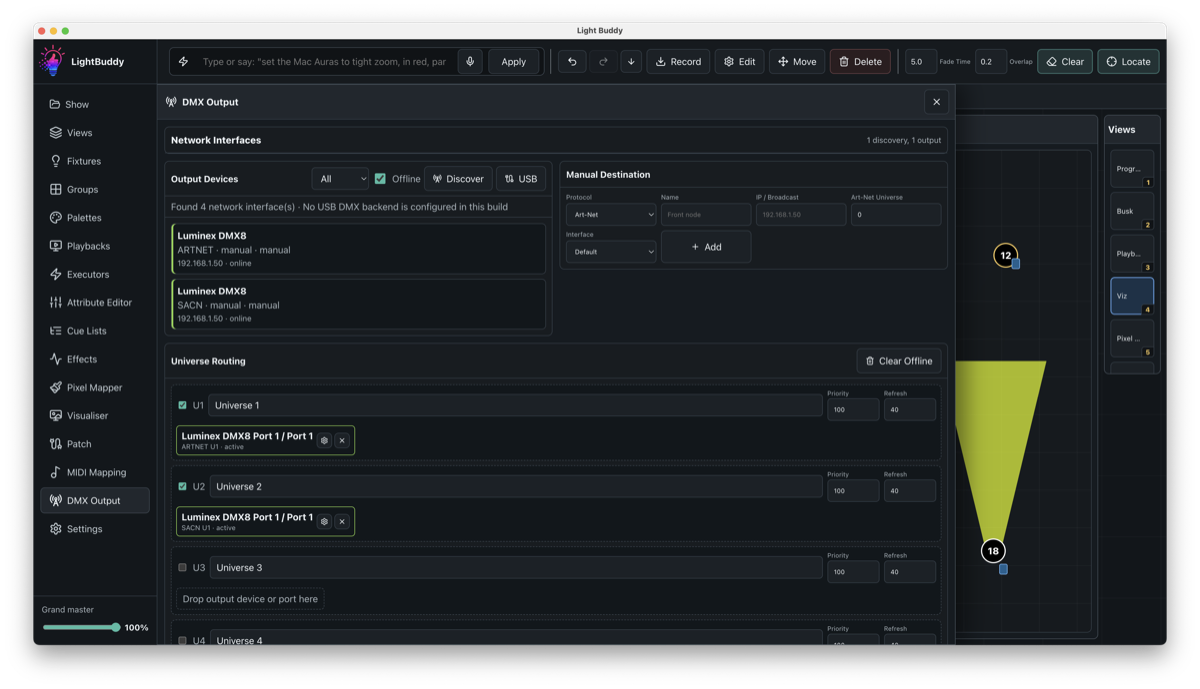
DMX Output

Manage output routing from the show file so network DMX setup remains visible, repeatable and tied to the current production.

  • Route universes to Art-Net or sACN from inside LightBuddy.
  • See output configuration alongside the show instead of relying on separate notes.
  • Prepare routing for rehearsals, venues and production machines consistently.
  • Reduce setup mistakes when moving between networks or output targets.
  • Use one workspace for programming, patching and live DMX output checks.

Fixture data

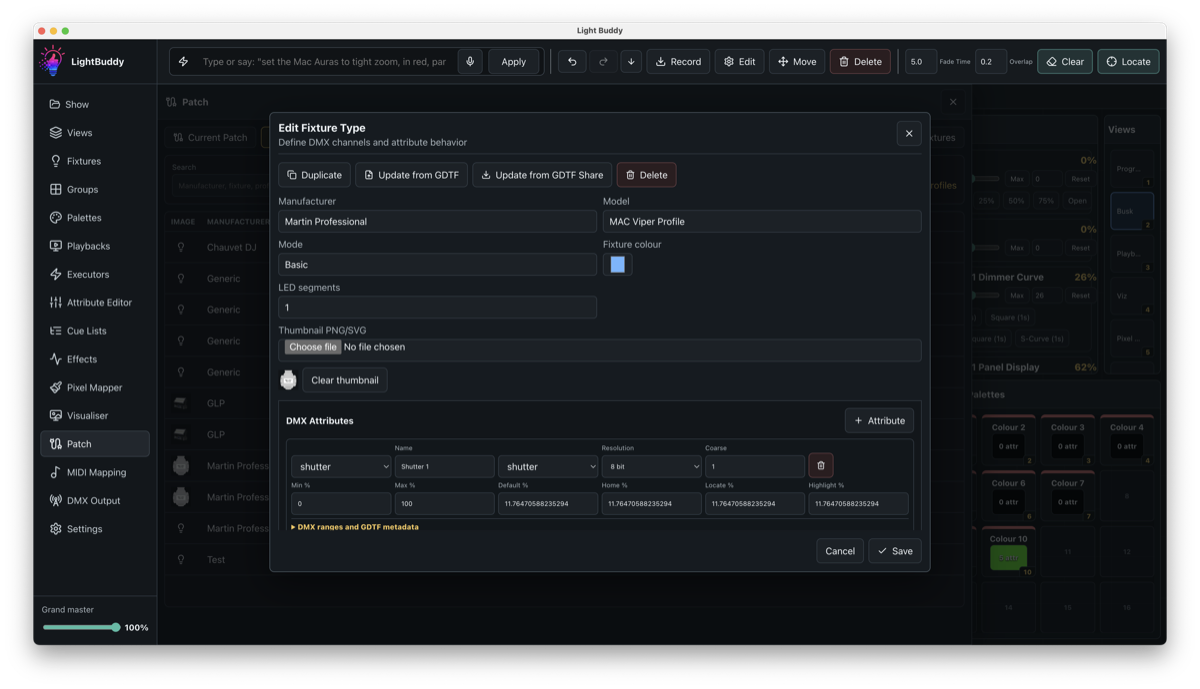
Fixture Editing

Build and refine fixture profiles directly inside LightBuddy, keeping the show file practical even when a manufacturer profile is missing or needs adjustment.

  • Create custom fixture personalities without leaving the application.
  • Define channels, attributes, modes and default values for each fixture type.
  • Adjust imported fixture data when a real unit behaves differently on site.
  • Keep profile changes with the show so another machine opens the same setup.
  • Patch edited fixtures straight into the programming workspace.

Fixture library

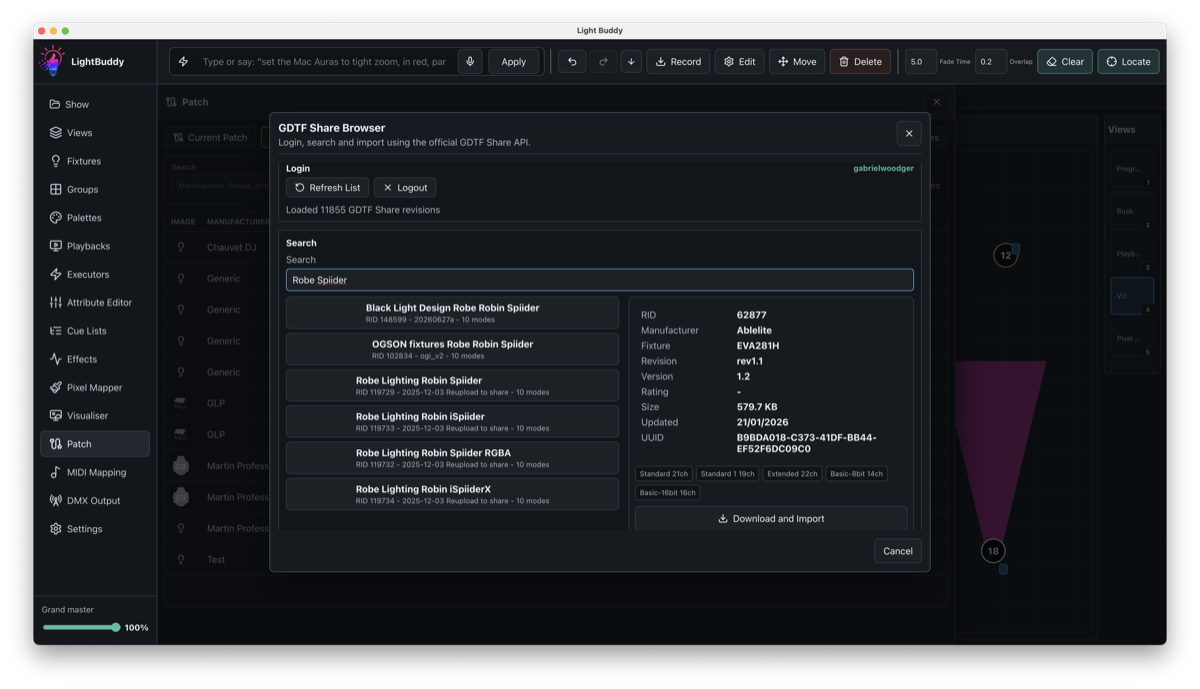
GDTF Share Import

Import fixture definitions from GDTF Share or local GDTF files so patching starts from an established profile rather than a blank personality.

  • Search for fixture profiles from GDTF Share inside the workflow.
  • Import local GDTF files when show data is supplied with the production package.
  • Preview fixture details before adding them to the show.
  • Save time on common fixture types that already have public profiles.
  • Use imported profiles as a starting point for further editing.

Mobile remote

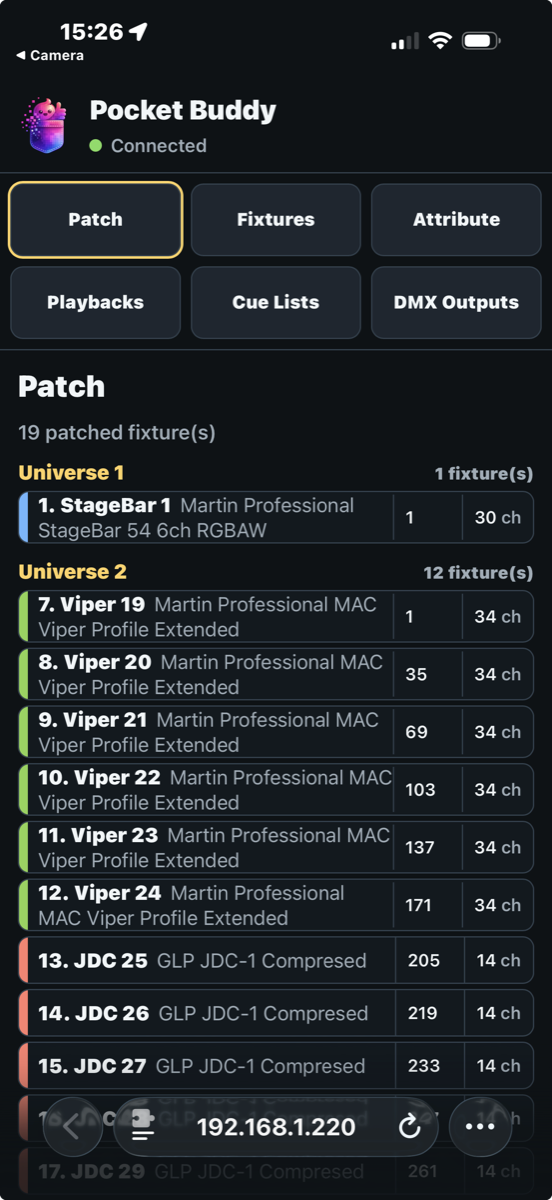
PocketBuddy

Use a phone or tablet as a local remote surface for checks and playback, keeping LightBuddy control available away from the main computer.

  • Control selected playback and show actions from a mobile device on the local network.
  • Walk the room while checking fixtures, positions and looks.
  • Give focused remote control to the tasks needed away from the desk.
  • Keep the main LightBuddy show running on the production computer.
  • Use a touch-friendly surface when the operator is away from keyboard and mouse.

Licensing

Choose an edition

Compare

Edition matrix

FeatureFreeStandardProfessional
Universe count12Unlimited
Programming featuresBasicFullFull
Pixel MapperLimitedIncludedIncluded
EffectsLimitedIncludedIncluded
NetworkingArt-Net or sACN universe 1Any 2 Art-Net or sACN universesUnlimmited Art-Net or sACN routings

Downloads

Installers and release notes

Stable installers are public. Beta installers are shown in the customer portal when the licence includes beta access.

Documentation

Manual, tutorials and support material

Customer portal

Licences and activations

Support

Contact

For support, licensing transfers and beta access requests, contact the LightBuddy team.

Email Support